

Supabase Integration
Bfloat AI provides seamless integration with Supabase, an open-source Firebase alternative that offers database, authentication, storage, and serverless functions. This integration enables you to easily connect your Bfloat applications with Supabase’s powerful backend services.Getting Started
Prerequisites
- A Bfloat AI account
- A Supabase account and project
Setting Up Supabase Integration
Step 1: Create a Supabase Project
- Sign up or log in to Supabase
- Create a new project
- Take note of your project’s URL and API keys (found in Project Settings > API)
Step 2: Configure Bfloat with Supabase Credentials
- Navigate to your project in Bfloat AI
- Click on your avatar (profile photo) in the sidebar
- Select Settings
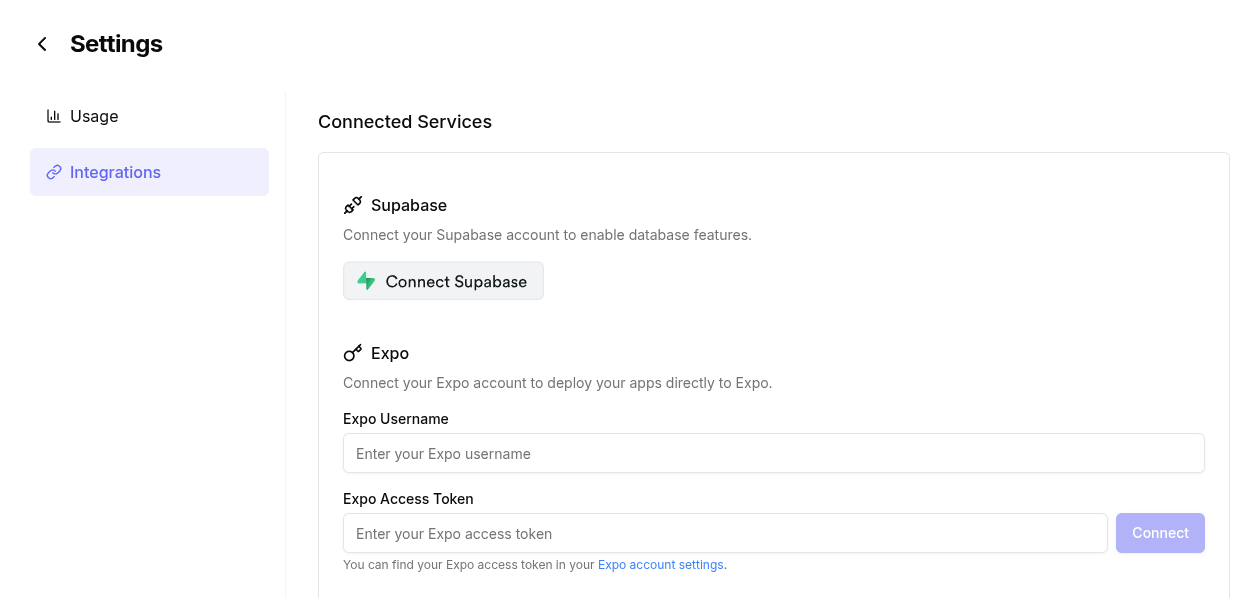
- Scroll down to Integrations
- Click Connect Supabase button
- You will be redirected to Supabase to authorize Bfloat AI to access your Supabase project
Using Supabase in Your Application
Common Issues
- Database Connection Problems: Verify your database is active and accessible